A Unicode escape sequence is an ASCII-only way to write a Unicode character — usually \uXXXX, where XXXX is the character’s hexadecimal code point. Java and JSON require four hex digits, JavaScript adds \u{...} and \p{...}, HTML uses &#xhhhh;, and URLs percent-encode UTF-8 bytes as %XX.
What Is a Unicode Escape Sequence?
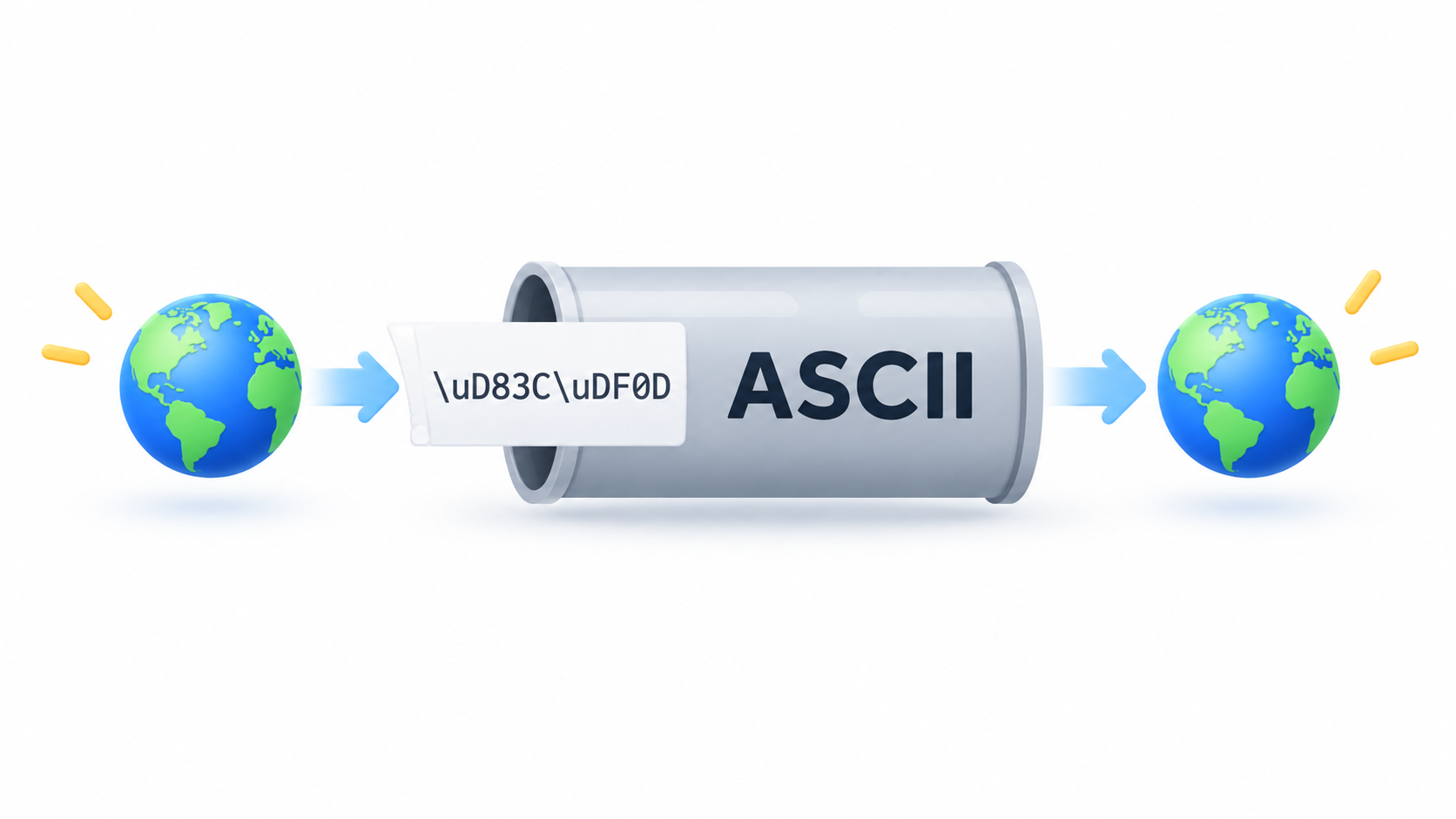
A Unicode escape sequence is a notation that writes any Unicode character using only ASCII characters, so the text survives tools and protocols that never learned about anything beyond ASCII. The most common form is \uXXXX, where XXXX is four hexadecimal digits giving either a code point or, in UTF-16-based languages, the 16-bit code unit at that value.
Unicode itself identifies characters with U+ notation: U+0000 is NUL, U+001B is the escape character, U+FFFF is the last code point in the Basic Multilingual Plane, and U+1F600 is 😀. Specifications, documentation, and error messages all use the U+XXXX form to name a character; \uXXXX is how that same character gets written inside source code, string literals, and wire formats.
The scale behind that notation is large. According to Wikipedia’s list of Unicode characters, Unicode 18.0 assigns 310,351 characters with code points across 175 modern and historical scripts, plus multiple symbol sets. No single page can enumerate them, which is exactly why a compact escape notation exists.
Unicode Escape vs. Property Escape vs. HTML Character Reference vs. Percent-Encoding
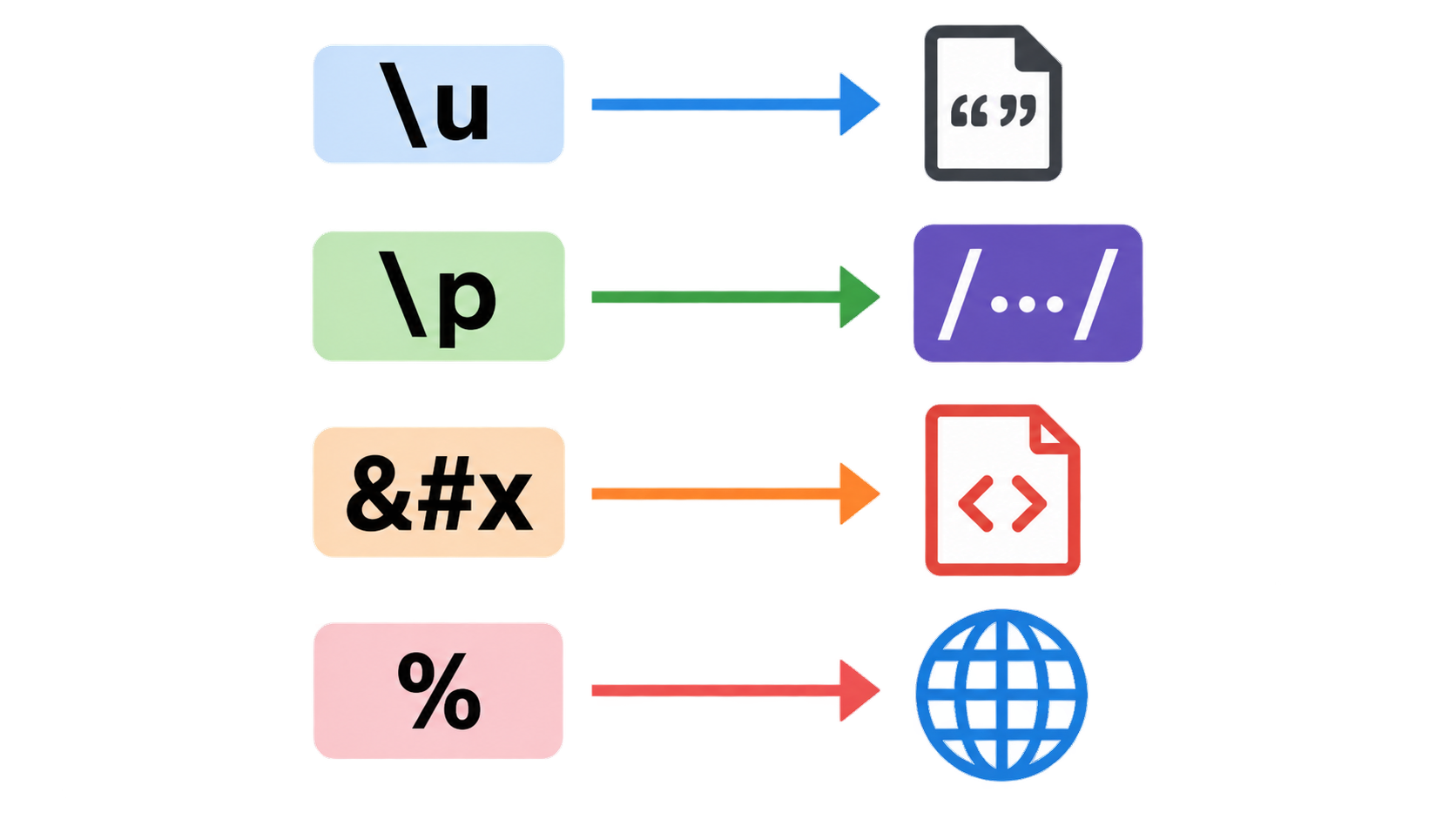
Four notations look alike but solve different problems. \uXXXX — and JavaScript’s \u{...} — represent a code point or UTF-16 code unit inside a string or source file. \p{...} and \P{...} are Unicode property escapes, which per MDN match a set of characters by Unicode property and are only supported in Unicode-aware mode; outside that mode, \p is merely an identity escape for the letter p.
HTML and XML numeric character references get resolved by the markup parser, not by a string parser. Wikipedia describes the format as &#nnnn; for decimal code points, &#xhhhh; for hexadecimal, and &name; for a predefined entity name. URL percent-encoding is a fourth system again: %XX encodes bytes, not characters.
Here’s the one-line rule: read the prefix. \u means a code-point escape, \p means a property class, &#x means a markup character reference, and % means percent-encoded bytes.
Why Escapes Exist: ASCII-Only Representation
The purpose is stated directly in the Java Language Specification (Java SE 7, §3.3): Unicode escapes let a program include any Unicode character “using only ASCII characters.” ASCII-only is the lowest common denominator that compilers, JSON parsers, log pipelines, configuration files, and older protocols all handle.
With 310,351 assigned characters in Unicode 18.0, no toolchain can be expected to carry every character natively. A toolchain can reasonably be expected to carry backslash, u, and hexadecimal digits — so those characters become the transport layer for everything else.
How to Write \uXXXX in Java, JavaScript, JSON, HTML and URLs
No reference page on the search results lays the same character side by side across all five contexts. The table below does that, using é (U+00E9, one code unit) and 😀 (U+1F600, a surrogate pair) as the test characters.
| Context | Form | é (U+00E9) | 😀 (U+1F600) |
|---|---|---|---|
| Java source / string literal | \uXXXX, exactly four hex digits |
"\u00e9" |
"\uD83D\uDE00" |
| JavaScript string | \uXXXX for BMP, \u{...} for any code point |
"\u00e9" or "\u{e9}" |
"\u{1F600}" |
| JavaScript regex | \p{...} / \P{...} — a property class, not a character |
\p{Letter} |
not applicable |
| JSON string | \uXXXX only |
"\u00e9" |
"\uD83D\uDE00" |
| HTML / XML | &#xhhhh;, &#nnnn;, &name; |
é or é |
😀 |
| URL | %XX octets of UTF-8 |
one or more octets | four octets (surrogate pair) |
Java Source: Escapes Are Processed Before Tokenization
JLS §3.3 defines three lexical translation steps applied in order: Unicode escapes are translated first, line terminators are recognized second, and input elements and tokens are formed third. Because escape processing happens before tokenization, the character an escape produces does not participate in further escapes.
The canonical example: the raw input \u005cu005a yields the six characters \ u 0 0 5 a, not the character Z. The escaped backslash is not reinterpreted as the start of a second escape. Two related rules matter in practice: the u marker may be repeated (\uuuu0041 is legal), and a backslash can only begin an escape when the number of contiguous backslashes immediately before it is even.
JavaScript: \uXXXX, \u{…} and \p{…}
\uXXXX in JavaScript covers the Basic Multilingual Plane; \u{...} is used for code points above U+FFFF. \p{...} and \P{...} are a different construct — Unicode property escapes for regular expressions, with \P building a complement class instead of a single character.
According to MDN, property escapes have been Baseline widely available across browsers since July 2020, and with the v flag \p can match finite-length strings, which is useful for emoji sequences made of multiple code points.
JSON: What JSON.stringify Actually Emits
JSON string escaping uses \uXXXX. The failure mode is not in the format but in the serializer: JSON.stringify emits \u0000 and lone surrogates verbatim and performs no validation of whether a downstream store will accept them.
That is the step where a bad value escapes memory and reaches the database. The serializer’s job ends at producing valid JSON text; whether the JSON text is storable in a particular column is a separate question that the serializer never asks.
HTML &#xhhhh; and URL %XX Are Not \uXXXX
An HTML numeric character reference is read by the markup parser. So é and é are the same character to a browser, but mean nothing to a JavaScript string parser. If you need to go the other way and resolve a page of &#xhhhh; and &name; references back to text, an HTML entity decoder does that at the markup layer. Named entity references cover only a limited, predefined set of names.
URLs take a different route entirely. MDN’s encodeURI() reference explains that the function replaces characters with one, two, three, or four escape sequences representing the UTF-8 encoding of the character, and that four sequences appear only for characters composed of two surrogate units. Because percent-encoding works on bytes rather than code points, one character can become several %XX groups.
Why Do Emoji Need Two \uXXXX Escapes? Surrogate Pairs Explained
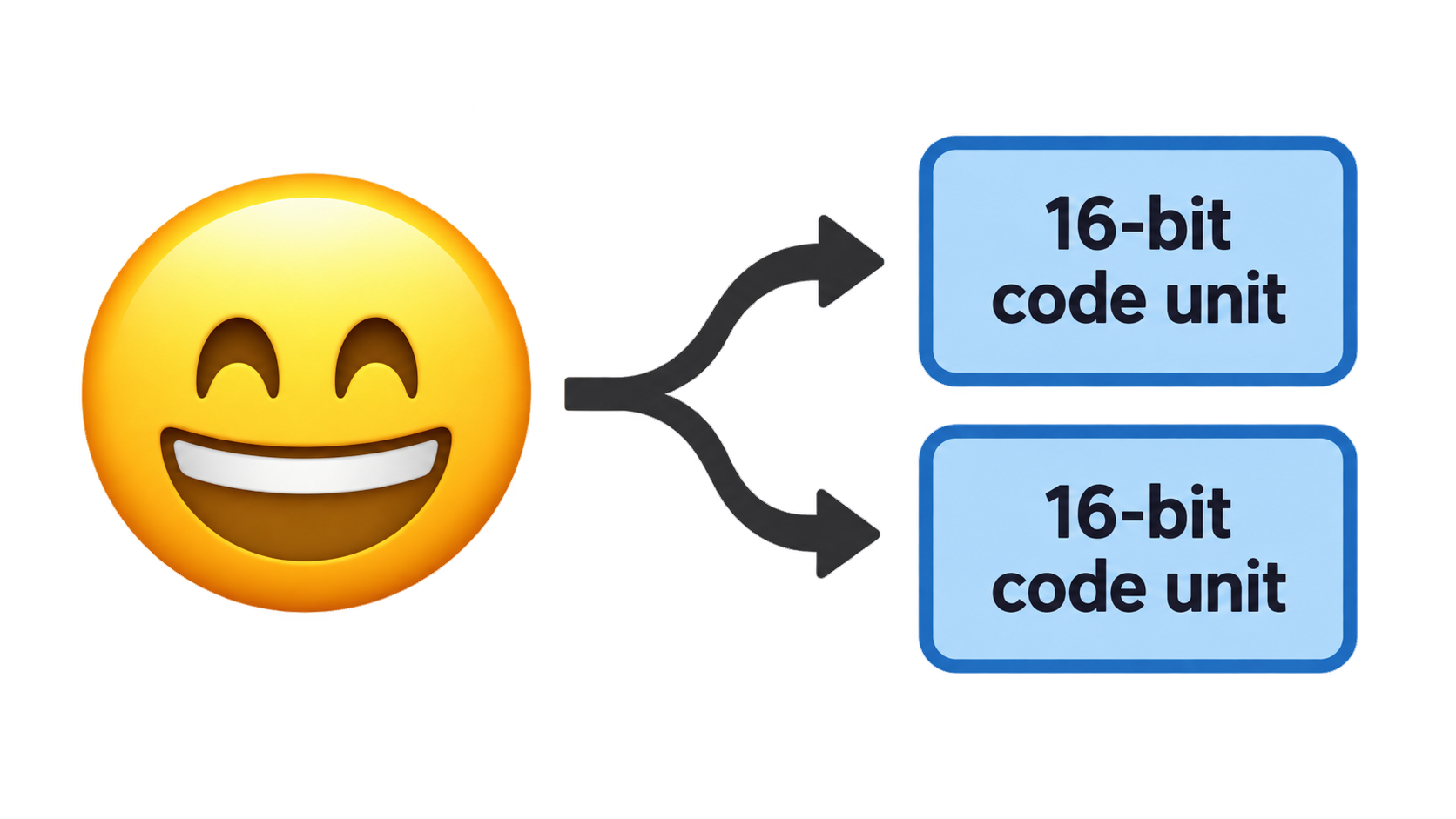
A character inside the Basic Multilingual Plane corresponds to one escape. A character above U+FFFF is represented in UTF-16 as a pair of 16-bit code units, so it takes two consecutive escapes to write one character.
JLS §3.3 states this as a rule rather than an edge case: representing supplementary characters requires two consecutive Unicode escapes. The string literal rules in the same specification make the split explicit — one escape sequence for characters in the range U+0000 to U+FFFF, two escape sequences for the UTF-16 surrogate code units of characters in the range U+010000 to U+10FFFF.
The worked example is 😀. Its code point is U+1F600, and in UTF-16 it is written as \uD83D\uDE00 — a high surrogate from U+D800–U+DBFF followed by a low surrogate from U+DC00–U+DFFF. That’s two escapes for one character, which is why length counts, substring operations, and truncation behave in ways that surprise anyone who assumes one escape equals one character.
BMP vs. Supplementary Characters: One Escape or Two
The dividing line is U+FFFF. Characters from U+0000 to U+FFFF need one \uXXXX escape, because four hexadecimal digits cannot express anything larger. Characters from U+010000 to U+10FFFF need two, because each \uXXXX escape writes exactly one 16-bit code unit.
This also explains why Java character literals cannot hold supplementary characters at all — the specification limits a char literal to values from \u0000 to \uffff, so a supplementary character must be written as a surrogate pair in a char sequence or as an integer, depending on the API.
What a Lone Surrogate Actually Is
A lone, or unpaired, surrogate is one half of an emoji with the other half missing. It is not a character. It shows up when a surrogate pair is truncated, or when arbitrary bytes are decoded as UTF-16.
Lone surrogates fail loudly in several places. MDN notes that encodeURI() throws a URIError when it encounters a surrogate that is not part of a high-low pair, and that String.prototype.toWellFormed() can replace lone surrogates with the Unicode replacement character U+FFFD, while String.prototype.isWellFormed() can check for them. PostgreSQL jsonb rejects them outright, as the next section shows.
One consequence deserves emphasis: paired surrogates must be preserved exactly. A sanitizer that treats every high or low surrogate code unit as an illegal character will delete legitimate emoji, which is a hidden bug in a lot of cleanup logic.
How to Fix “unsupported Unicode escape sequence” (SQLSTATE 22P05)
This error is the reason many people arrive at this topic at all. Roughly half the results surfaced for this query are issue reports opened in the September 11–24, 2026 window that exist because of this specific database error, yet none of the reference pages explain it. If you are holding a stack trace, the definition of an escape sequence is not the useful part — the fix is.
What PostgreSQL Rejects and What It Accepts
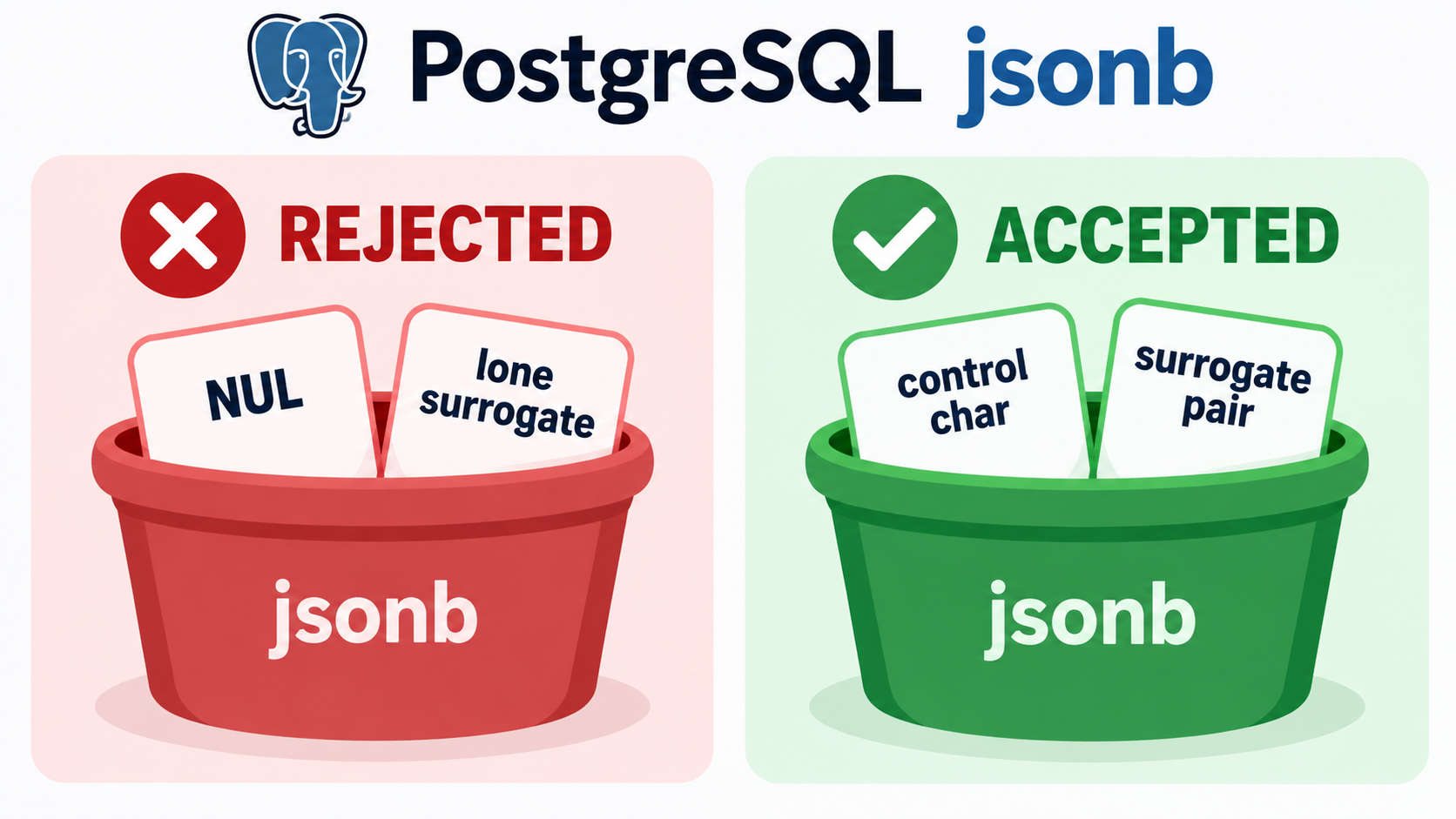
The boundary is narrow, and it is worth proving with a runnable statement. In standard-conforming SQL strings, \\ is a literal backslash, so the JSON text below contains a real \uXXXX escape:
select '{"t":"a\\u0000b"}'::jsonb;        -- ERROR: unsupported Unicode escape sequence (22P05)
select '{"t":"a\\ud800b"}'::jsonb;        -- ERROR: unsupported Unicode escape sequence (22P05)
select '{"t":"\\ud83d\\ude00"}'::jsonb;   -- OK
select '{"t":"\\u0001"}'::jsonb;          -- OK
According to GitHub issue #1493 in THU-MAIC/OpenMAIC, PostgreSQL rejects exactly two escape families that serializers emit verbatim: \u0000 (a NUL byte) and lone UTF-16 surrogates such as \ud800. It accepts \u0001, \u007f, and other control characters, and it accepts paired surrogates such as \ud83d\ude00. The distinction is NUL and unpaired surrogates — not control characters in general, and not escaping as such.
Sanitizing Before the Write, Not After Serialization
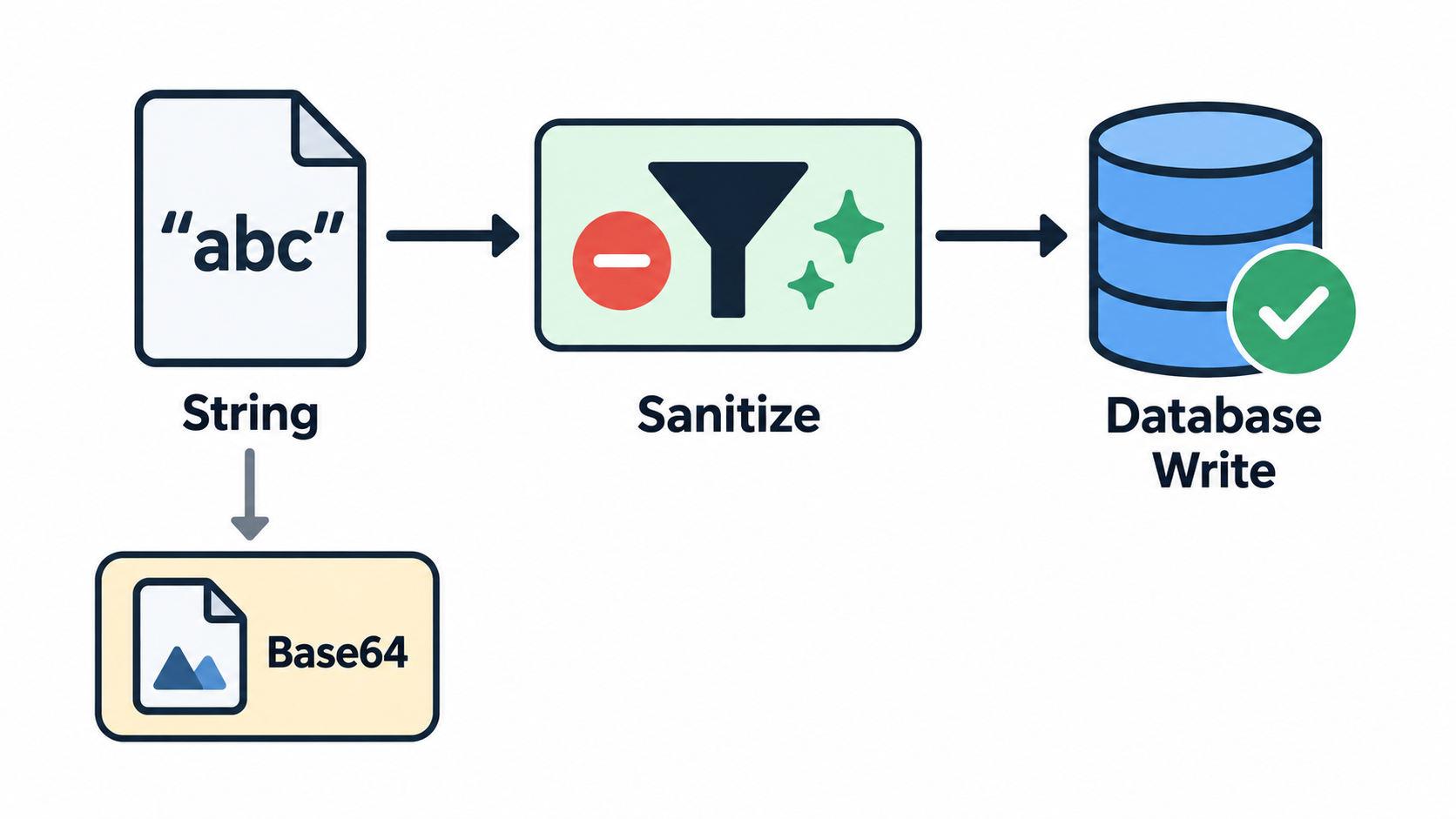
The fix that issue #1493 converged on is to sanitize string values while serializing, using the replacer argument of JSON.stringify, so the check runs against the in-memory string rather than against already-serialized text. The replacer walks code units: drop 0x0000; when a high surrogate is followed by a low surrogate, keep the pair and skip past it; drop any remaining lone high or lone low surrogate.
The issue records a second, harder-won lesson: do not run a regular expression over the serialized JSON. A regex cannot distinguish a real lone-surrogate escape from the literal characters \ and ud800 appearing in content, and stripping those produces invalid JSON — the issue’s author reports hitting SQLSTATE 22P02 that way, which is a worse failure than the original error.
Two variants of the same fix are noted in the issue. \u0000 can be replaced with U+FFFD instead of dropped if you’d rather keep a placeholder. And the sanitizer must not touch paired surrogate code units, since stripping them destroys valid emoji.
Binary content needs separate handling. According to GitHub issue #403 in LabsConnected/litlabs-website, an .ico or .jpeg asset read as UTF-8 produced lone surrogates, and the whole deployment failed at the file-write step with unsupported Unicode escape sequence. The issue’s suggested direction is to base64-encode binary assets before the write, reject or sanitize non-text-safe content with a per-file error naming the offending path, and add a regression test. For URL paths, MDN’s recommendation is to pass the string through String.prototype.toWellFormed() — or check isWellFormed() first — before calling encodeURI().
The impact justifies the guard rails. Issue #1493 reports that a single NUL character or lone surrogate aborts an entire session run, destroying 3–4 already-generated lessons per occurrence during batch course generation on PostgreSQL 16.11 with Node v24.18.1. Issue #403 reports that one bad binary file fails an entire deployment because there is no per-file guard or fallback. Per-record and per-file checks with a fallback path limit the blast radius.
When a Failed Record Cannot Even Be Logged as Failed
There is a second-order failure mode that few write-ups mention: the system cannot even record that it failed. According to GitHub issue #901 in readur/readur, the null-byte guardrail added in PR #308 / v2.6.0 does not cover every database write path. On the current latest image, PDFs whose OCR text contains \u0000 still fail, and the follow-up attempt to insert into failed_documents was itself rejected — this time by a check_failure_reason constraint.
The result is a document that is permanently stuck. It cannot be ingested, it cannot be logged as failed, and it therefore never appears in the “Failed OCR” UI, so the retry function cannot pick it up. A prior database inspection in the same issue showed 105 rows stuck in pending in ocr_queue, and manually resetting statuses did not help because ingestion fails before a queue entry is created.
The issue’s expected behavior is a reasonable template for any pipeline that stores escape-bearing text: sanitize before any database write, including the failure-logging path; fall back to a generic failure reason instead of raising a constraint violation that masks the original error; and always persist failed records so they remain visible and retryable.
Reading Escapes You Didn’t Write: Literal \u00e9 Text vs. Mojibake
Not everyone arriving at this topic is writing escapes. Some are staring at a literal \u00e9 in a dialog box, or at café in a string, and trying to work out whether the escape was never interpreted or interpreted one time too many. Pasting the escape into a Unicode escape decoder confirms what the four hex digits name; what follows is about why the surrounding text went wrong.
| Symptom | Likely cause | One-line check |
|---|---|---|
\u00e9 appears as literal text to a human |
The layer rendering it does not interpret \u, or the text was escaped for one context and injected into another, such as JavaScript-escaped text placed into an HTML attribute |
Does the layer that displays the string know how to interpret a \u prefix? |
café instead of café |
A string that was already decoded got decoded again with the wrong encoding — typically UTF-8 bytes read as latin-1 | Compare the character count against the expected value and look for à or  where accented letters belong |
| The escape resolves correctly but the non-ASCII text beside it is destroyed | A codec that expects bytes was applied to a str |
Check what input type the codec expects before calling it |
Two recent reports map cleanly onto the first and third rows. According to GitHub issue #17357 in mautic/mautic, a confirmation cancel button label stored through a data attribute renders as literal \uXXXX text in the Russian locale instead of the localized word; the proposed fix is to render the label with HTML-attribute escaping rather than JavaScript escaping, and to read it in JavaScript instead of passing HTML content through a data attribute.
According to GitHub issue #53 in colinta/SublimeStringEncode, a Unicode Escape command built on codecs.decode(text, 'unicode-escape') corrupts every non-ASCII character in the selection, because the codec takes bytes and the plugin’s str is first encoded to UTF-8 and then decoded as latin-1. Selecting café produces café, and selecting \u00e9 é produces é é — the escape decodes correctly while the literal é next to it is destroyed.
The reusable rule is to identify what the current layer expects before changing anything. Confirm whether that layer consumes escape text or already-decoded characters, then fix that layer, rather than re-encoding repeatedly at the wrong level.
Which Edition and Version Should You Cite?
Version context across the current search results is thin and in places self-contradictory. The only Java source surfaced for this topic is the Java SE 7 specification rather than the current edition. Wikipedia’s character list states that Unicode 18.0 assigns 310,351 characters, yet elsewhere on the same page cites Unicode 17.0 for the number of characters classified as Latin script — two different versions in one article. Only the MDN pages display current revision dates, both last modified on September 2, 2026.
The practical rule is to name the version on every citation rather than treating any edition as “the current rule.” Where a rule has been stable across editions — such as the processing order of Unicode escapes and the non-recursive expansion rule, both of which come from JLS §3.3 and are stated in the same terms in the Java SE 7 edition cited here — say so explicitly and attribute the source. That way a reader is not misled by an older edition’s wording.
Character counts must be version-bound for the same reason. The figure of 310,351 assigned characters across 175 scripts is a Unicode 18.0 figure and changes with each version of the standard, so it should not be mixed with counts drawn from an earlier release.
Conclusion
A Unicode escape sequence is just a notation for writing any Unicode character in ASCII — but the notation takes different forms in Java, JavaScript, JSON, HTML, and URLs, and the edge cases are where it breaks. Surrogate pairs and U+0000 are the two boundaries that cause most real incidents. Start by identifying which of the four escape families you are holding, using the cross-context table above. Before any database write, sanitize at the in-memory string level with a JSON.stringify replacer: drop \u0000, keep paired surrogates intact, and base64-encode binary assets. When you see literal \uXXXX text or café, determine whether the string was never interpreted or interpreted twice, then fix that specific layer.
FAQ
What is the difference between a Unicode escape sequence, an HTML numeric character reference (&#xhhhh;), and URL percent-encoding (%XX)?
They encode different things. \uXXXX encodes a code point, or a UTF-16 code unit in languages that use UTF-16. &#xhhhh; is a markup character reference resolved by an HTML or XML parser. %XX encodes UTF-8 bytes, so one non-ASCII character can become several %XX groups. Reading the prefix — \u, \p, &#x, or % — tells you which system must interpret the text.
Why do emoji and other supplementary characters need two \uXXXX escapes instead of one?
One \uXXXX escape writes a single UTF-16 code unit, and its four hexadecimal digits cannot express anything above U+FFFF. Characters above that boundary are stored in UTF-16 as a high surrogate plus a low surrogate, so they need two consecutive escapes. U+1F600 is written \uD83D\uDE00: two escapes, one character. Delete either half and you have a lone surrogate.
Why does PostgreSQL reject my data with “unsupported Unicode escape sequence”?
The error carries SQLSTATE 22P05, and it triggers on a payload containing \u0000 (NUL) or a lone surrogate such as \ud800. It does not reject all control characters — \u0001 and \u007f write successfully, and a paired surrogate like \ud83d\ude00 is accepted. The usual source is JSON.stringify emitting those escapes verbatim, so sanitize the in-memory string before the write. To see which escapes a failing payload actually contains, run it through an online Unicode decoder first.
How many hexadecimal digits does \uXXXX require, and can extra u characters be added?
The standard form is \u followed by exactly four hexadecimal digits. Java permits a repeated u marker, so \uuuu0041 is legal, but the digit count is unchanged. Expansion is not recursive: \u005cu005a produces the six literal characters \ u 0 0 5 a, not Z. The \u{...} form belongs to JavaScript’s supplementary-character syntax, not to an extended \uXXXX.
What is the escape character U+001B, and why is this notation called “escape”?
U+001B is ASCII 27 in decimal, Unicode U+001B, and the Ctrl+[ combination — the character the Esc key produces. Wikipedia’s article on the Esc key attributes the idea of putting that functionality into a character-encoding convention, and calling it escape, to Bob Bemer’s contributions to ASCII around 1960. Terminals used it to begin control sequences; \u001b today is that control character itself.